
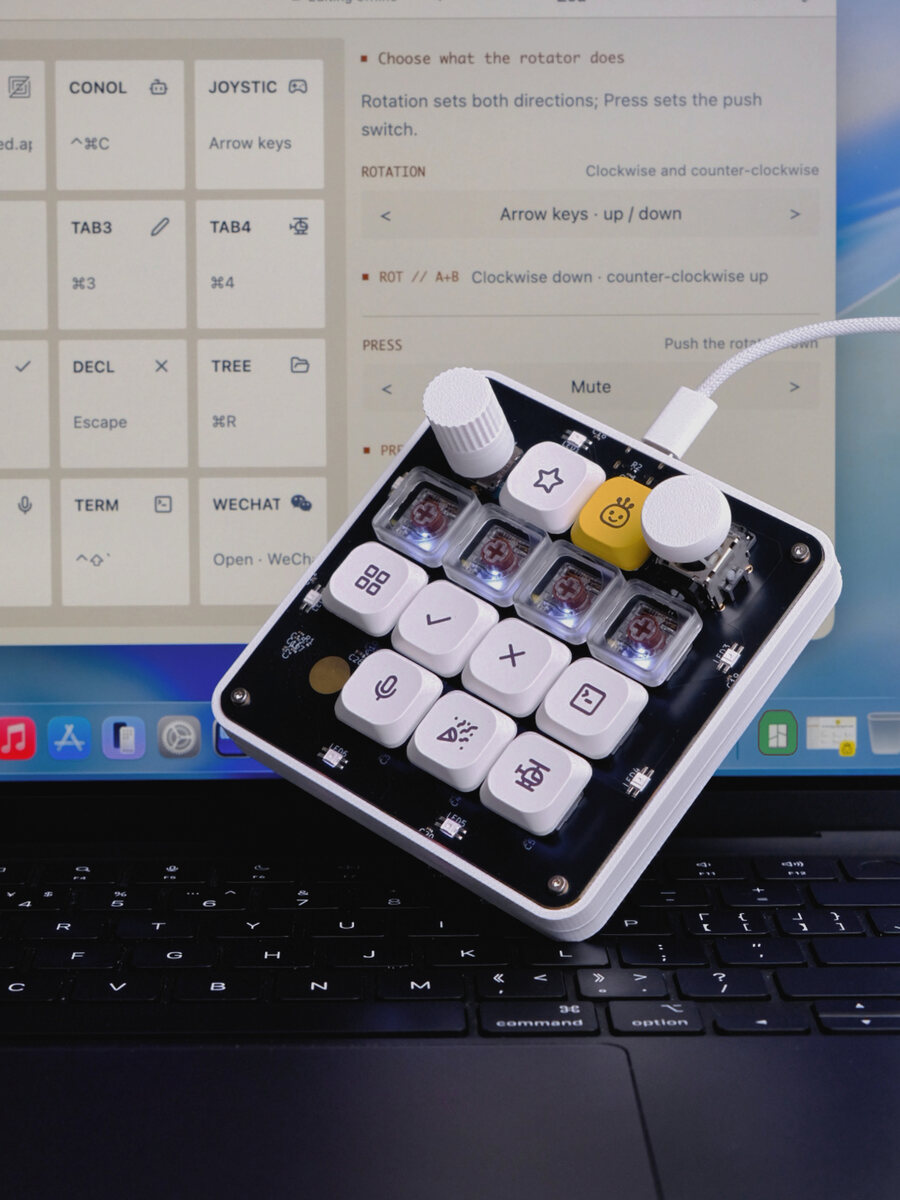
Two releases, one idea
The launch post called OpenMicroKbd a recreation of the Codex Micro's control surface: the same thirteen keys, dial, stick and touch pad, driven by our own firmware and our own companion app. That was deliberately the whole claim. What the pad did in front of a coding agent was up to you and the app's key editor.
Today's two releases close that gap from both ends.
Firmware 0.8.0 adds an opt-in Codex Micro compat mode. Switched on, the pad boots with the Codex Micro's USB identity and speaks the device protocol the ChatGPT desktop app uses to talk to that hardware. The desktop app then treats it as the real thing: keys, dial and stick arrive as Codex Micro controls, and the app pushes its six agent status lights and its lighting configuration back to the LEDs. Confirmed on hardware with Codex desktop 26.825 on macOS.
App 0.12.0 adds profile templates. The + button in the header is now a menu: an empty profile, or a template for Codex or Claude Code, both laid out for the keycap set the board ships with. Every printed key emits the right chord straight from the pad, so a fresh board does something sensible the moment it is plugged in, with the app closed.
OpenMicroKbd remains an independent open-source project, not affiliated with, endorsed by, or sponsored by OpenAI, Work Louder or Anthropic. "Codex Micro", "Codex", "ChatGPT" and "Claude Code" refer to their owners' products; all trademarks belong to their respective owners.
Compat mode: the pad boots as a Codex Micro
What the desktop app sees
In compat mode the pad enumerates as VID 0x303A / PID 0x8360, manufacturer "Work Louder", product "Codex Micro", and adds a fifth HID interface: vendor usage page 0xFF00, report ID 6, 64-byte reports carrying a JSON-RPC-style protocol. The desktop app's bundled device kit discovers hardware by exactly that vendor, product and usage page, and it is transport-agnostic, so a wired board qualifies as readily as the Bluetooth original. On the first plug-in the app detected the pad without a pairing step and ran its device.status, v.oai.thstatus and v.oai.rgbcfg traffic against this firmware with no errors.
The official key numbering runs in the same reading order as ours, so the mapping is position for position:
| Pad | Codex Micro | Wire id |
|---|---|---|
| Keys 1–6 (top row and second row) | Agent Keys 1–6, with the six status lights | AG00–AG05 |
| Keys 7–10 | Command Keys (defaults Fast / Approve / Decline / Fork) | ACT06–ACT09 |
| Keys 11 and 12 | The two switches under the wide Mic key — push-to-talk | ACT10 / ACT11 |
| Key 13 | Send | ACT12 |
| Dial turn / press | Dial step / dial press (hold for settings) | ENC_CW ENC_CC / ENC |
| Joystick | Analog stick, four directions | v.oai.rad |
What each key does is configured in the desktop app under Settings → Codex Micro, not on the pad, and gestures such as double-press and hold are timed by the host. That is the point: in this mode the app owns the keys, exactly as it owns the original. The pad's own keymap is bypassed while it lasts.
What does not go away is everything of ours. The OpenMicro vendor interface stays on the composite device, so the companion app still connects, firmware updates still work, and the mode switch below is always reachable. The desktop app ignores the extra interfaces. It does open its own interface exclusively, so any probe holding it makes the app's connection fail until the probe exits — the repository's scripts/test-codex-compat.py exercises the mode end to end, and you quit the desktop app before running it.
Switching, with and without the app
Compat mode is off by default and survives reboots once chosen. Two ways to flip it:
- Without the app. Hold the second key of the second row while plugging the pad in for compat mode; hold the first key of that row to come back. The underglow shows the mode for a second at power-up — amber for OpenMicro, white for Codex — and blinks when a chord has just changed it.
- From the app. Settings gains a Codex Micro compat mode toggle that reads what the connected pad booted as and asks it to restart the other way. The pad saves the choice, resets, and comes back under the other identity; the tray shows which one you are in.
The choice lives in the reserved byte of the saved keymap blob. The layout did not change, so older firmware ignores it and a downgrade falls back to OpenMicro mode. Two housekeeping notes: macOS may show Keyboard Setup Assistant the first time the pad appears under each identity — dismiss it, nothing is wrong — and on Linux the second identity needs its own hidraw udev rule for 303a:8360, documented alongside the existing ones.
Where the protocol came from
The protocol is undocumented. This firmware is an independent Rust re-implementation of the behaviour written up by two MIT-licensed projects that emulate the device over Bluetooth, imliubo/codex-micro-4-core2 and digitsisyph/codex-micro-stopwatch. Neither had validated USB; that part is now confirmed against the real app. The codec is pure core Rust with host-side tests against the payload shapes those projects' probes use, and the identifiers are emitted only so a compatible host recognises the device. One id, ACT11, is inferred from the numbering rather than observed, and a desktop app update can change the protocol without notice. The mode stays off unless the owner turns it on.
Profile templates: the stock keycaps, wired
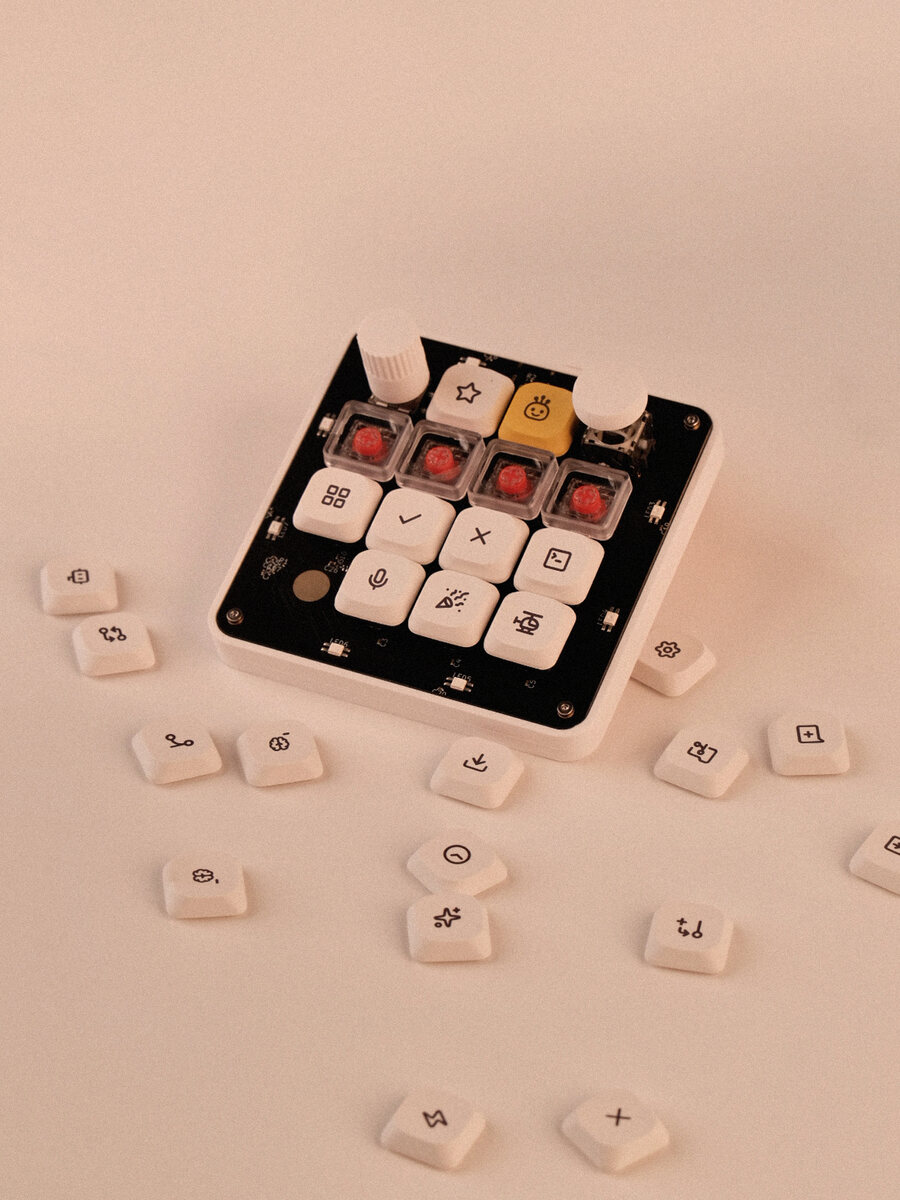
Every board leaves the bench with the same keycaps, and until now a fresh profile was a copy of the default with generic labels. Now the + menu offers Empty profile — nothing bound, a blank slate — or Templates ▸ Codex / Claude Code.
The templates share one design rule: every printed key is a plain keystroke stored on the pad. No host interception, no Accessibility permission, nothing that stops working when the app is closed or when the pad moves to another machine. The encoder, joystick and touch pad keep their volume, arrow-key and play/pause defaults, and names de-duplicate (Codex, Codex 2, …). Anything can be re-bound afterwards like in any other profile.
The Codex template
This one targets Codex in the ChatGPT desktop app, and it follows the Codex Micro's own layout rather than inventing one. The clear second row is the session selector: the app's "open recent chat 1–4" commands, the same slots the Micro's Agent Keys follow by default, under the same four LEDs that show agent activity. ✓ and ✗ answer approval prompts. The rest follow their pictures.
Where the chords came from matters, because guessing is how a template ends up typing "π" into a terminal. They were read out of the desktop app itself: its bundle carries the Codex Micro keycap catalog, which maps each cap to an app command, and every command's default keybinding, then cross-checked against the app's shortcuts reference. Chords the app defines as "CmdOrCtrl" resolve to ⌘ on macOS and Ctrl on Windows and Linux, and the template does the same at build time; the few it binds with a literal Ctrl stay Ctrl everywhere.
| Cap | Label | Chord (macOS · Windows/Linux) | In the desktop app |
|---|---|---|---|
| ★ | ATTN | ⌘⌥A · Ctrl+Alt+A | Next chat needing attention |
| Mascot | NEW | ⌘N · Ctrl+N | New chat |
| Clear ×4 | CHAT 1–4 | ⌘⌥1…4 · Ctrl+Alt+1…4 | Open recent chat 1–4 |
| Grid | MENU | ⌘K · Ctrl+K | Command menu |
| ✓ | APPR | Enter | Approve request |
| ✗ | REJ | Esc | Decline request |
| Terminal | TERM | Ctrl+` | Toggle terminal |
| Mic | MIC | Ctrl+Shift+D | Start dictation |
| Party popper | SIDE | ⌘⌥S · Ctrl+Alt+S | Open side chat |
| Robot | MODEL | Ctrl+Shift+M | Model picker |
Three of the Micro's signature actions are missing on purpose: Fast mode, Fork and Send have no keyboard chord in the desktop app at all. The real Micro reaches them over its native protocol — which is exactly what compat mode above gives you. A plain keystroke cannot, so the template does not pretend.
The Claude Code template
Claude Code is a terminal program, so its template speaks the CLI's documented interactive-mode shortcuts, which are the same on every operating system. ✓ confirms a permission prompt with Enter, ✗ interrupts or declines with Esc, the mascot cycles permission modes with Shift+Tab, the grid toggles the task checklist, the terminal cap opens the transcript viewer, the mic is push-to-talk once /voice is on, the party popper toggles fast mode and the robot switches model. The four clear caps carry the quiet utilities: background the running task, stash the prompt, search history, open the prompt in an editor.
One caveat that is really a terminal caveat: Claude Code's Option+P and Option+O reach it on macOS only when the terminal sends Option as Meta. iTerm2, Ghostty and WezTerm do by default; Apple Terminal needs Use Option as Meta key switched on in the profile's keyboard settings. Option+T is handled by Claude Code itself.
Which mode, when
If you live in the ChatGPT desktop app, switch compat mode on and stop thinking about it. The app assigns the keys, lights each Agent Key with its chat's state, turns the dial into reasoning effort, holds push-to-talk on the mic, and gets Fast, Fork and Send — the things a keystroke cannot do.
If you live in a terminal, in Claude Code, in the Codex CLI, or in anything else, stay in OpenMicro mode and start from a template. The keys are yours: every one of them is a plain keystroke you can rebind, the four transparent keys still show agent activity from the hooks the app installs, and the pad behaves identically on any machine it is plugged into.
Both modes coexist on one board. Nothing about compat mode is a fork of the firmware, and the companion app keeps working whichever identity the pad booted with.
Get it
Firmware 0.8.0 and app 0.12.0 ship together as release v0.12.0: notarized macOS DMGs for Apple Silicon and Intel, portable Windows ZIPs for x64 and Arm64, and the firmware as .bin, .elf and .hex with checksums. An installed app offers both updates itself — the app update first, then the firmware prompt — and flashes the verified image over USB with no buttons to hold. Compat mode and its Settings toggle need firmware 0.8.0 or newer; the templates need only the app.
The details are where they always are: fw/README.md for the protocol, the boot chords and the provenance notes, and app/README.md for the templates and the full key tables. If you build one and the desktop app does not see it, or a chord lands somewhere unexpected on your terminal, the Discord is the fastest place to say so.